File access improvements, 250+ new templates, and more
Graphic made with Visme
Hey there, Anna
As you know, we’re always shipping new features, making improvements and fixing bugs behind the scenes of your Visme dashboard.

On this occasion, we’ve got:
• An optimized file access interface and navigation. 
• 35 updated maps and 30 brand new locations for your geographical data visualizations.
• Optimized map display when viewed on iPhones
 • So many new templates for you to discover!

Optimized file access interface and navigation
We've made it easier to navigate your organized files. Folder names now appear as clickable links on file thumbnails in both the dashboard and editor. 

This enhancement makes a big difference when you're managing multiple projects across different folders.

• See which folder each file is in at a glance.
• Click the folder name to jump directly to that folder.
• Long folder names display with ellipses (...) to keep the interface clean.
Expanded map coverage
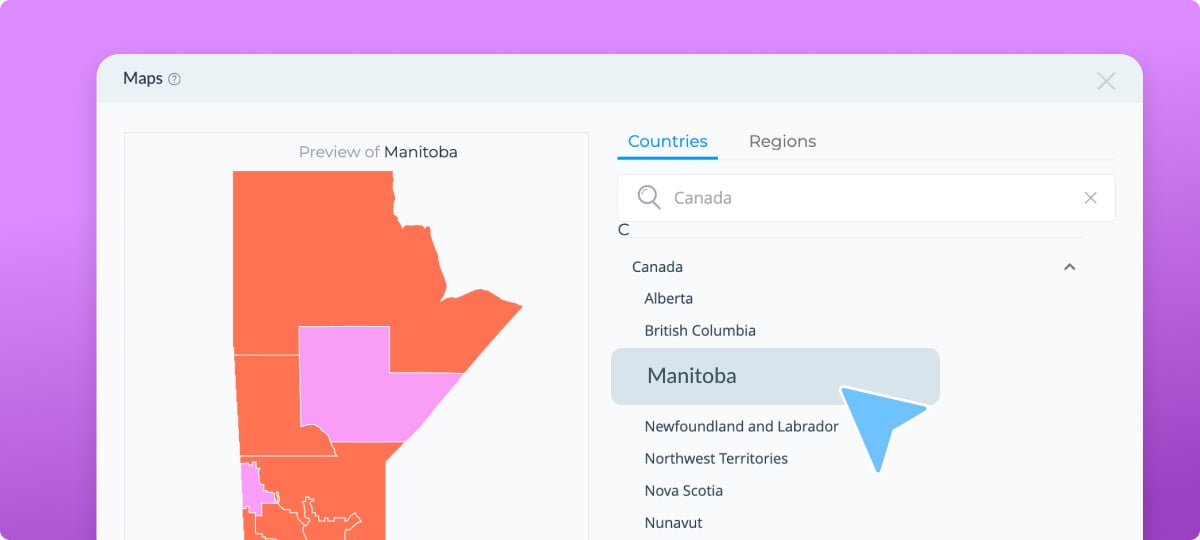
Our interactive maps library just got significantly larger, with 35 updated maps and 30 brand-new additions that weren’t available before. 

Find the maps by navigating to Data > Countries and selecting your region.

• Canada: Provinces now available.
• Mexico: New province-level maps.
• USA: Congressional district maps added.
• New countries: Including Andorra and many more.
Player optimization for maps on iPhones
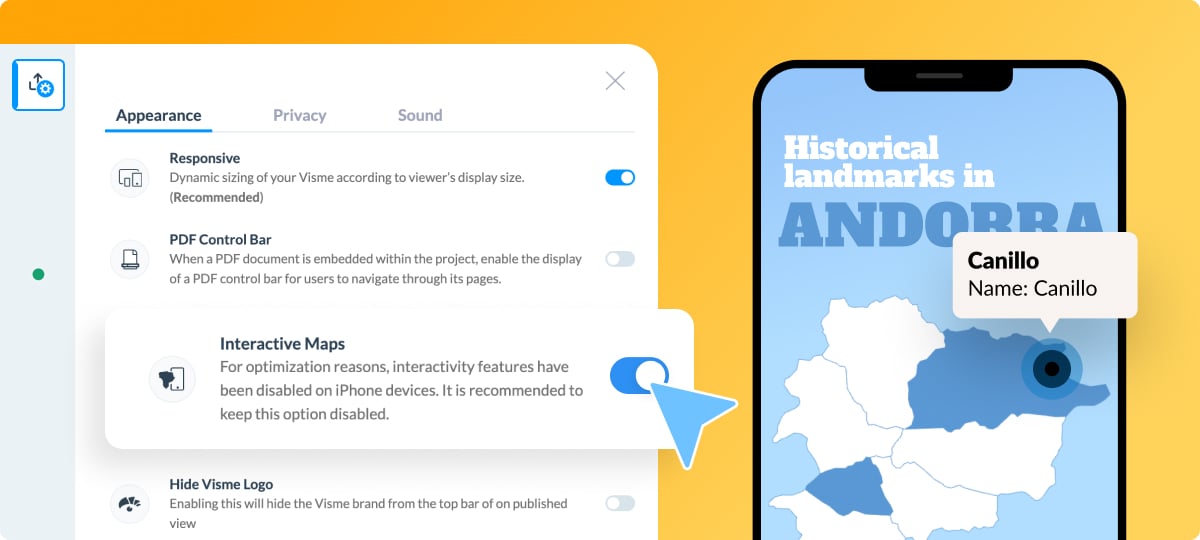
Interactive maps now render as SVG images on iPhone devices, ensuring smoother playback on iOS. The optimization is enabled by default for new projects. 

But you can toggle the setting on or off in Advanced Settings  → Appearance → Interactive Maps. When sharing a project with maps and optimization is disabled, a notification appears.
200+ New templates!
This template release is huge, with 237 new templates spanning multiple categories:

• Presentations: creative, sports, and business themes.
• Infographics: anatomical and informational designs.
• Documents: plans, newsletters, proposals, reports, and more.
• Printables: invitations, certificates, and schedules
• Social graphics: Facebook and Instagram posts
• Data visualizations: line graphs, pie charts, and bubble charts
We fixed some bugs
• Grouped objects are no longer becoming ungrouped after refreshing.
• We resolved font display errors in templates.
• No more crashes when deleting slide groups.
• Corrected bullet list formatting; they were reverting to numbered lists when pasting.
• Fixed audio cutting off on the first slide when exporting MP4 files.

Log in to your Visme account and check out all the new bits and pieces that will help you create content easier and faster.
Victoria, Content Manager
Create anything. Make it beautiful.